For iPhone & iPad
Anything worth doing is worth tracking.
Turn intentions into actual routines.
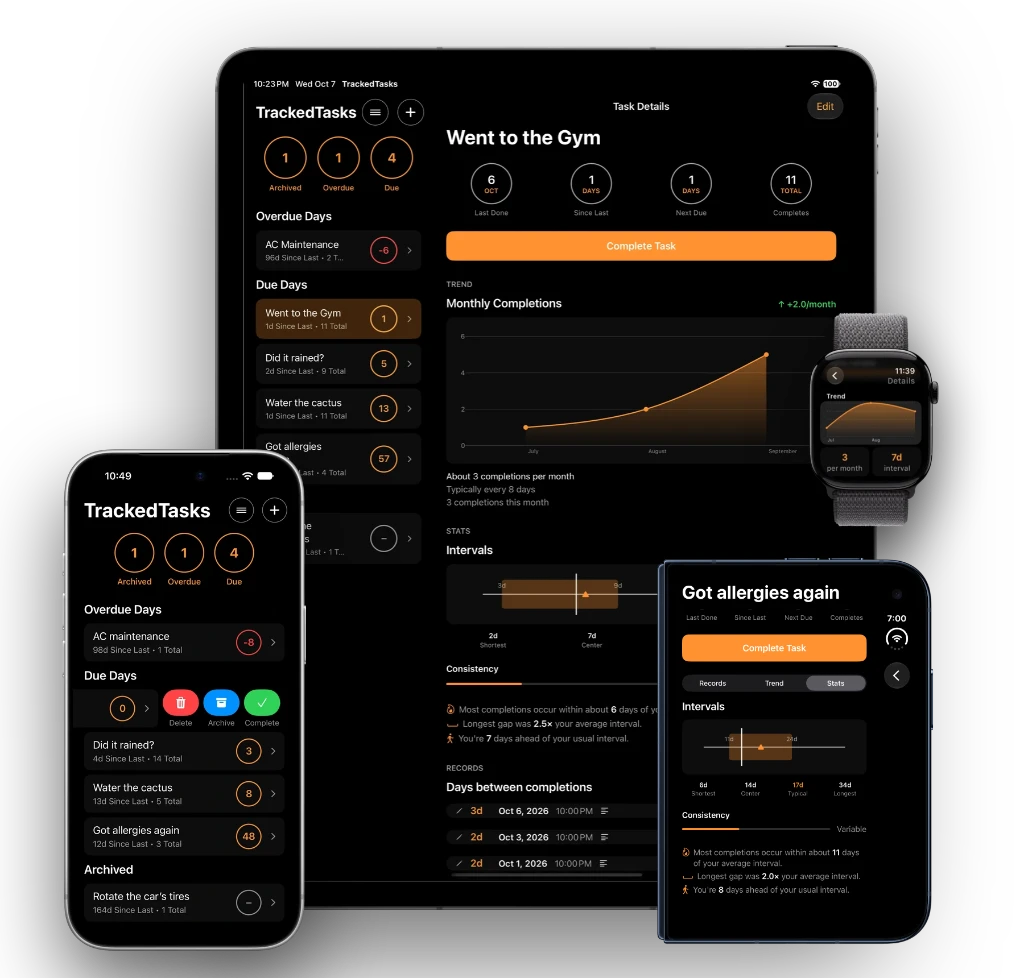
TrackedTasks helps you keep track of recurring activities, remember when they were last done, and look back over time to discover patterns.

To-Do lists tell you what to do. TrackedTasks helps you remember what you've actually been doing.
The idea behind TrackedTasks
Not everything belongs on a calendar.
Some things don't have a specific date or appointment.
You don't need
“Water the cactus at 9:00 AM.”
You need
“It's been 3 weeks since I watered the cactus.”
That's where TrackedTasks comes in. Calendar is for appointments. Reminders is for things you need to do. TrackedTasks is for things you want to keep doing and keep track of.
Track real life
Some things are worth tracking because they matter.
Household
-
Did it rain?
Track rainfall and set a follow-up reminder to inspect or repair the roof after several dry days.
-
Water the cactus.
Every 2–4 weeks? Track the last time you did it and let TrackedTasks count the days.
-
Clean the AC.
Keep track of maintenance intervals to help maintain the unit and keep your home comfortable.
Health & Wellness
-
Allergy reactions.
Record when they happen and look back over time to help identify recurring patterns.
-
Recurring health events.
Keep a historical record of events that occasionally repeat, so you don't have to rely on memory.
-
Clean the curtains.
Track cleaning intervals when regular maintenance matters.
Vehicles
-
Change the oil.
Track when it was last done and how long it's been.
-
Rotate the tires.
Don't rely on remembering the last service.
-
Check the battery.
Some activities aren't urgent — but they still matter.
How it works
Last done. Days since. Do again.
A better way to think about recurring activities.
Clean AC
- Last done
- June 12
- Days since
- 98 days
- Next reminder
- In 2 days
Water cactus
- Last done
- September 1
- Days since
- 17 days
- Typical interval
- 14–28 days
Your history becomes useful
Your past activity tells a story.
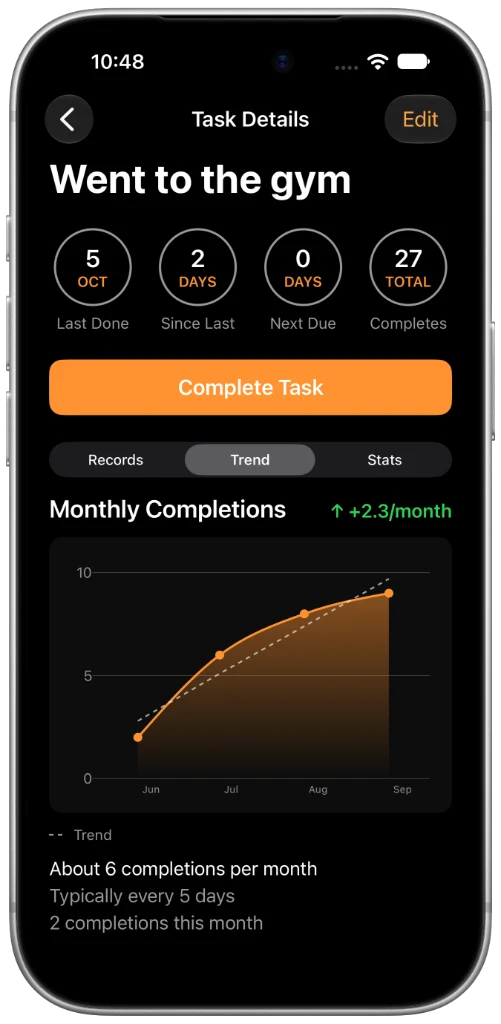
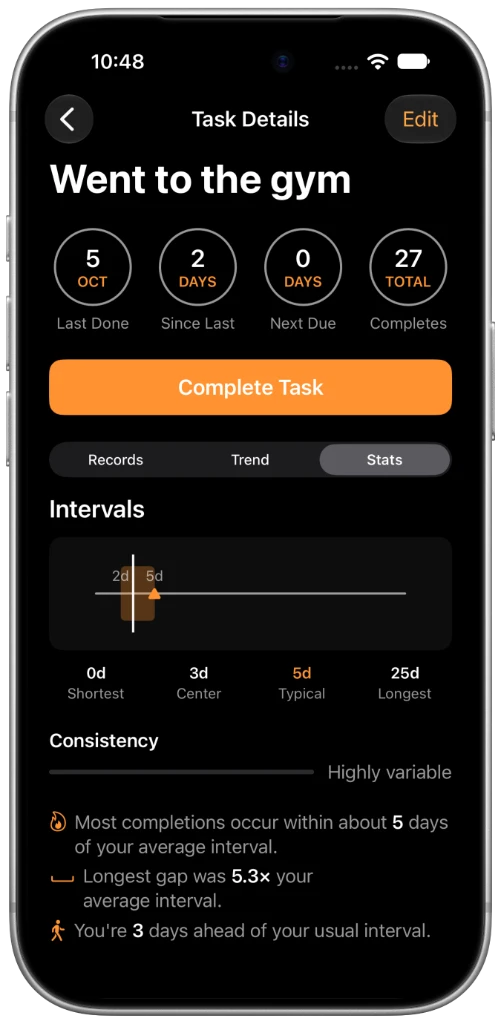
Most task apps focus on what's next. TrackedTasks also remembers what happened before. Record every completion, add a note when it matters, and see your trends, the intervals between completions and how consistent you really are. Over time, your history helps you answer questions like:
- How often am I actually exercising?
- When did I last clean the AC?
- How frequently does this activity happen?
- Am I keeping up with my routine?
- Is there a pattern I didn't notice before?
You don't have to remember. TrackedTasks does.
Made for real life
Everything you need. Nothing you don't.
Keep your recurring activities organized without unnecessary complexity.
Completion history
Record every completion and add an optional note with the details you want to remember. Edit or delete individual records whenever you need to.
Activity statistics
Turn your records into insights: trends over time, intervals between completions, typical frequency and how consistent you are.
Smart overdue notifications
Get notified once when a task becomes overdue, or every day until you complete it. Set a specific notification time for each task.
Designed for iPhone and iPad
Native layouts for iPhone and for iPad in portrait and landscape, swipe and long-press quick actions, Dark Mode and a high-contrast interface. Manage your tasks from your wrist with the Apple Watch app.
iCloud Sync
Your tasks and records stay in sync across your Apple devices, with no extra account to create.
Your data, your way
Export your activity as a CSV file to keep a personal copy, analyze it in a spreadsheet or use it in another system.
Private by design
- No account or sign-up
- No ads
- No advertising tracking
- No sharing your data for advertising
- Stored on your devices, synced with iCloud
TrackedTasks vs. Calendar vs. Reminders
Keep your appointments in Calendar. Let Reminders handle your to-do lists. Use TrackedTasks for recurring activities where knowing when you last did something is just as important as knowing when to do it again.
| Capability | Calendar | Reminders | TrackedTasks |
|---|---|---|---|
| Appointments | ✓ | No | No |
| One-time tasks | No | ✓ | No |
| To-do lists | No | ✓ | No |
| Recurring activities | No | ✓ | ✓ |
| Days since last activity | No | No | ✓ |
| Historical activity | Limited | Limited | ✓ |
| Identify patterns over time | No | No | ✓ |
TrackedTasks doesn't replace your existing apps. It fills the gap between them.
FAQ
Frequently asked questions
Does TrackedTasks work on iPad?
Yes. TrackedTasks has native layouts for iPhone and for iPad in portrait and landscape, and with Premium, iCloud Sync keeps your tasks and records up to date across your Apple devices.
Is there an Apple Watch app?
Yes. With the Apple Watch app you can add, edit, complete and delete tasks, and manage completion records, right from your wrist.
Where is my data stored?
Your data lives on your device. With Premium, you can also sync it across your Apple devices with iCloud. TrackedTasks does not have access to your personal task data.
Can I export my data?
Yes, with Premium. Export your tracked activity as a CSV file to keep a personal copy, analyze your records in a spreadsheet or use them in another system.
Can I use TrackedTasks for health-related activities?
Yes. You can track personal activities and events over time. TrackedTasks is a tracking tool, not a medical diagnostic or treatment application.
Is TrackedTasks free?
Yes. The free version includes core task tracking with up to three active tasks. An optional annual Premium subscription unlocks unlimited tasks, advanced statistics and trend charts, iCloud Sync and CSV export, and helps fund continued development. Our plan is to keep the experience free of ads and not sell user data.
How does payment work?
Premium is an annual subscription handled by Apple through the App Store. It renews automatically unless you cancel at least 24 hours before the current period ends, and you can manage or cancel it anytime in your Apple Account settings. See our Terms of Use for details.
What happens if my Premium subscription ends?
Nothing is deleted. Your tasks and completion records stay on your device. Premium features such as creating more than three active tasks, advanced statistics, CSV export and iCloud Sync become unavailable until you subscribe again.
Is TrackedTasks available on Android?
Not currently. That's actually a good idea. We'll look into it.
Do I need an account?
No account or sign-up required, for the free version or Premium. Use your Apple Account to download, install and subscribe.
Turn intentions into
actual routines.
Track the things that matter to you.